Notarizing Secretary’s Certificates and Board Resolutions Online

A secretary’s certificate can be notarized online in the Philippines: the corporate secretary appears before an Electronic Notary Public in a remote session, through a Supreme Court-accredited platform such as Twala.
Thursday afternoon at a manufacturing company in Mandaue. The bank in Makati wants a notarized secretary’s certificate before it opens a new payroll account. A distributor in Laguna wants another one before it signs a supply agreement. The corporate secretary has two certificates to prepare and, until recently, a trip to a notary’s office for both, with the original sent off by courier afterward. Now the secretary can do it from the office in Mandaue, before an Electronic Notary Public (ENP) based anywhere in the country.
What these documents are
A board resolution records a decision of the board of directors: authorizing an officer to open a bank account, sign a contract, apply for a loan, or represent the company before a government office. Outside parties rarely see the minutes. What they ask for instead is a secretary’s certificate, in which the corporate secretary certifies, under oath or by acknowledgment, that the board adopted the resolution, usually quoting its text and stating that it remains in force.
It is normally the certificate that gets notarized, not the resolution. Banks and counterparties often hand over their own certificate format, so use theirs when they have one.
Jurat or acknowledgment: it changes when the secretary signs
Many secretary’s certificates end with the words “subscribed and sworn to before me,” which makes the notarial act a jurat. Some end in an acknowledgment instead. The difference matters online, because the Supreme Court’s Rules on Electronic Notarization (A.M. No. 24-10-14-SC) set when the signing happens:
- Sworn certificate (jurat). The secretary signs as part of the act, together with the oath before the ENP. Book with the unsigned PDF, send the envelope, and ask the ENP on the appointment’s Messages tab when to sign.
- Acknowledged certificate. The secretary can sign it on Twala before the session and confirm the signature to the ENP when they appear.
If the certificate was already signed in another tool, upload the PDF and have it signed on Twala, since Twala notarizes documents signed with its own secure digital signature.
Who appears, and what the notary checks
The corporate secretary appears, as the person executing the certificate. The ENP confirms the secretary’s identity, which Twala has already checked once through a Philippine National ID or another government-issued ID and a face scan, and makes sure the secretary understands the certificate and is executing it freely. For a jurat, the ENP then administers the oath.
The certificate also does a second job inside eNotarization. When an officer signs a contract or a special power of attorney for the company and has it notarized, the ENP needs proof that the officer has authority, and Twala asks anyone signing for a company to have a board resolution or a secretary’s certificate ready for the session. A certificate notarized on Twala in the morning can serve as that proof for the officer’s session in the afternoon.
The steps on Twala
- The secretary creates a Twala account, or joins the company’s team on Twala, and verifies their identity once.
- The certificate is prepared from the company’s template or the recipient’s format and saved as a PDF.
- In Appointments, the secretary clicks Request appointment, chooses Notarization, adds the certificate, chooses Remote, and picks an ENP and one of their open times.
- The certificate is signed at the right moment for its act, as described above.
- At the session, the secretary clicks Join session, with any VPN off, swears to or acknowledges the certificate, and stays until the ENP finishes.
- The ENP requests payment, due within 24 hours. Once it’s paid, Twala adds the notarial certificate page and seal, and the notarized PDF is under Notarizations.
Each screen is described in how to notarize a document online in the Philippines.
When the company notarizes every week
A single certificate is easy. A company that produces them every week for banks, regulators, and counterparties needs some order around them, and Twala is built for that work.
- Control who can notarize. In a team workspace, owners and admins turn notary features, and AI, on or off for each member, so requests come from the corporate secretary’s office and not from anyone with a login.
- Keep the formats. Save each bank’s and counterparty’s preferred certificate as a template, so nobody retypes the same certificate twice.
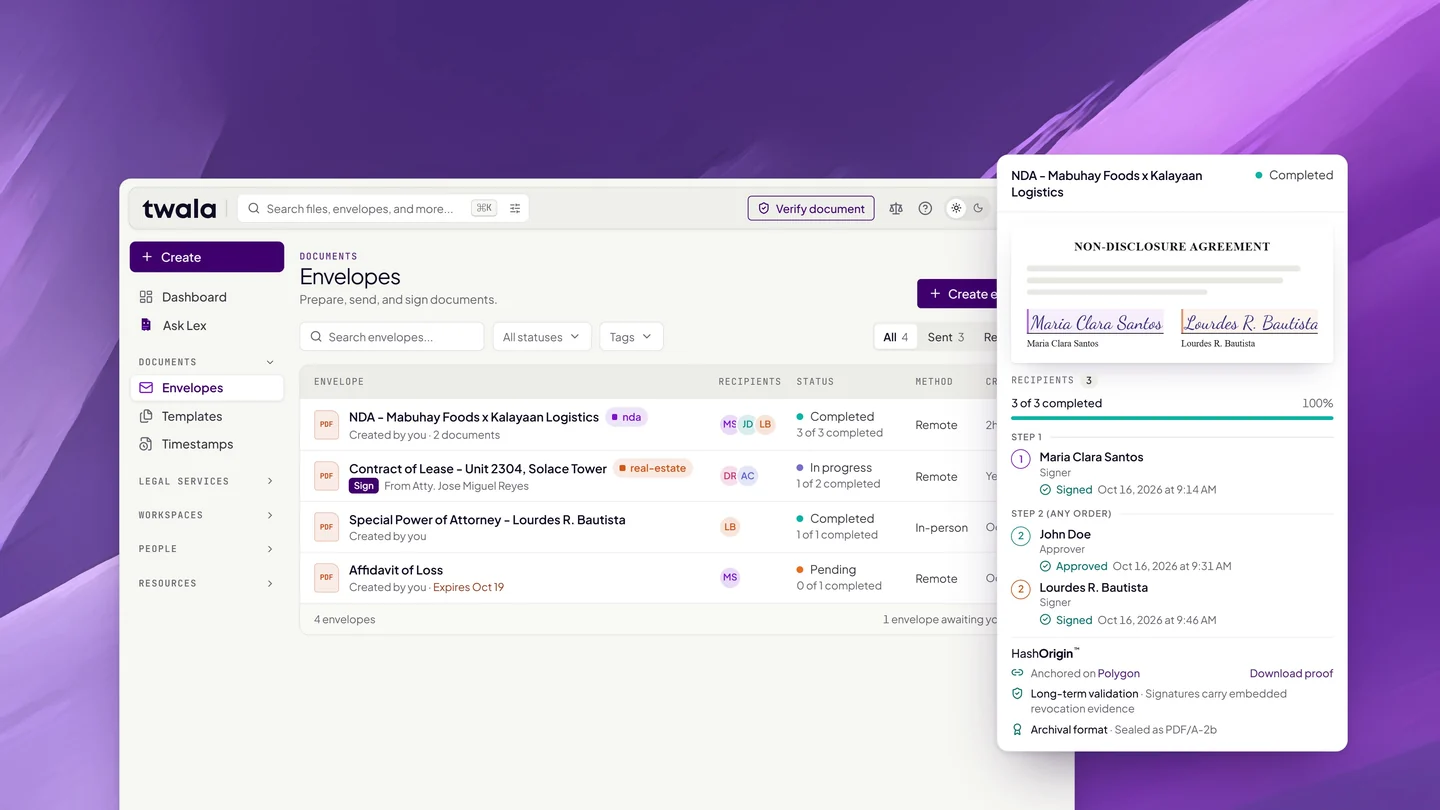
- Route it before it’s signed. An envelope can send the draft to legal counsel as an approver before it reaches the secretary as signer.
- Find it again. One search covers files, envelopes, and notarizations, and envelope reports can be exported as CSV or PDF for the auditors.
The Business plans add team management, custom branding, and a Business verified digital seal; Enterprise adds single sign-on through SAML or OpenID Connect, SIEM integration, advanced logging, and a guaranteed SLA. The pricing page compares them, and eNotarization for businesses covers the policy changes worth making when a company moves its notarizations online.
Check with the receiving party
On October 13, 2026, the Supreme Court and the Securities and Exchange Commission signed a joint memorandum circular on accepting electronically notarized documents in SEC systems and transactions (SC-SEC JMC No. 1, s. 2026). Associate Justice Alfredo Benjamin Caguioa said the circulars “categorically clarify the acceptability of eNotarized documents.” For a filing with the SEC, check its specific requirements for the submission you are making.
Banks and private counterparties set their own rules and are updating them at their own pace. Ask before you notarize, then send the PDF itself rather than a printout, with a link to how to verify an eNotarized document. The recipient can check the seal on Twala’s verify page. If you work on the receiving side at a bank, eNotarization for banks, lending companies, and cooperatives is written for you.
Frequently asked questions
Do the directors have to appear?
No. A secretary’s certificate is the corporate secretary’s own statement about what the board decided, so the secretary is the one who appears before the ENP. The directors’ decision is already recorded in the resolution.
Is a secretary’s certificate notarized online as valid as one notarized on paper?
Yes. Under the Rules on Electronic Notarization, an electronic notarial act performed through an accredited facility has the same validity, force, and effect as a traditional one.
Can the bank check the certificate without a Twala account?
Yes. Anyone holding the notarized PDF can check it on Twala’s verify page. If anything in the file has changed since notarization, the check shows it as “Document tampered.”
Can our secretary appear before an ENP in another city?
Yes. An Electronic Notary Public’s jurisdiction is no longer limited to the city or province of their commission. The secretary and the ENP only need to be in the Philippines.
To set your team up, create a Twala account or talk to us about the Business and Enterprise plans. For the rules behind remote sessions, see our complete guide to eNotarization in the Philippines.
Twala is a Supreme Court-accredited Electronic Notarization Facility (ENF). Twala is a technology provider and does not give legal advice. Notarial acts are performed by commissioned Electronic Notaries Public.