How to Get a Special Power of Attorney (SPA) Notarized Online

A special power of attorney (SPA) can be notarized online in the Philippines. You, the principal, sign it on Twala and acknowledge it before an Electronic Notary Public over live video, from anywhere in the country.
Few legal documents travel as far in ordinary Filipino life as the SPA. It is how a daughter in Quezon City closes the sale of her parents’ lot in Batangas, how a busy owner lets a trusted employee deal with the bank, how a family keeps things moving while someone is away. Most of the trouble people run into with SPAs has little to do with the notarization itself. It comes from what the document says.
SPA or general power of attorney?
A power of attorney lets someone else, your agent or attorney-in-fact, act in your name. A general power of attorney covers acts of administration: looking after property, paying routine bills, collecting rent. Anything beyond that needs specific authority.
Article 1878 of the Civil Code lists the acts that require a special power of attorney. Among them: entering into any contract that transfers or acquires ownership of real property, lending or borrowing money, leasing real property for more than one year, making gifts, entering into a compromise, and accepting or repudiating an inheritance. If what you need your agent to do is on that list, a general power of attorney won’t do.
What a good SPA says
Banks and registries read SPAs closely, and a vague one can get your agent turned away at the counter after a long wait in line. A clear SPA usually has:
- Your full name, citizenship, civil status, and address, and the same details for your agent, with every name written exactly as it appears on the person’s ID
- Each power spelled out, with the property, account, or vehicle it concerns identified by its number (a title number, an account number, a plate number), instead of a catch-all like “to transact on my behalf”
- Any limits you want: a minimum selling price, a deadline, or a single transaction
- The date and place of execution
Some banks and agencies require their own SPA form or specific wording. Ask the office where your agent will use the SPA before you draft anything, and use its form if it has one.
For the draft itself, you can start from a legal template in Twala’s template gallery, describe the powers you want to give, and let Lex, the AI inside Twala, propose the text. Nothing goes into the document until you click Apply, and the content remains your responsibility. For the sale of land, or anything with large sums at stake, have a lawyer look at it before anyone signs.
Who has to appear
You do. The person giving the authority, the principal, is the one who acknowledges the SPA before the notary. In an acknowledgment, you confirm that the signature on the document is yours and that you executed it as your free and voluntary act. That is why an SPA can be signed on Twala before the session: at the session, you confirm the signature to the Electronic Notary Public (ENP).
Your agent doesn’t need to appear unless the form has a line for the agent to sign, for example to accept the appointment. In that case the agent signs on Twala too.
Witnesses depend on the form. Many SPA templates have two lines marked “Signed in the presence of.” If yours does, your witnesses sign it on Twala and appear in the session with you, each from their own device. Each one needs a free Twala account under the email you added them with and a current identity verification. A witness should be someone who isn’t a party to the SPA and doesn’t benefit from it. Our guide for witnesses explains their part.
If the principal is abroad
Many SPAs are signed by Filipinos working overseas for family back home, so this deserves a plain answer. Everyone in a remote session on Twala, the ENP included, has to be in the Philippines, and Twala checks each person’s location as they join. A principal who is abroad can’t appear in a Twala session from overseas.
The Rules on Electronic Notarization do allow one exception: a principal abroad may appear from inside a Philippine embassy, consulate, or honorary consulate, with an officer there confirming their presence. For most OFWs, the familiar routes still apply: consular notarization at the Philippine embassy or consulate, or a notary in the host country with an apostille. Our guide on eNotarization for OFWs and Filipinos abroad explains the options. The agent’s location doesn’t matter for the notarization, since the agent doesn’t appear.
Notarizing the SPA on Twala
- Create a free account at platform.twala.ai and verify your identity once, with your Philippine National ID or another government-issued ID that hasn’t expired, followed by a face scan.
- Have the SPA signed on Twala through an envelope: by you, and by your witnesses and agent if the form has lines for them. The envelope keeps the signing order and sends the reminders.
- In Appointments, click Request appointment, choose Notarization, add the signed SPA, choose Remote or In-person, and pick an ENP and one of their open times.
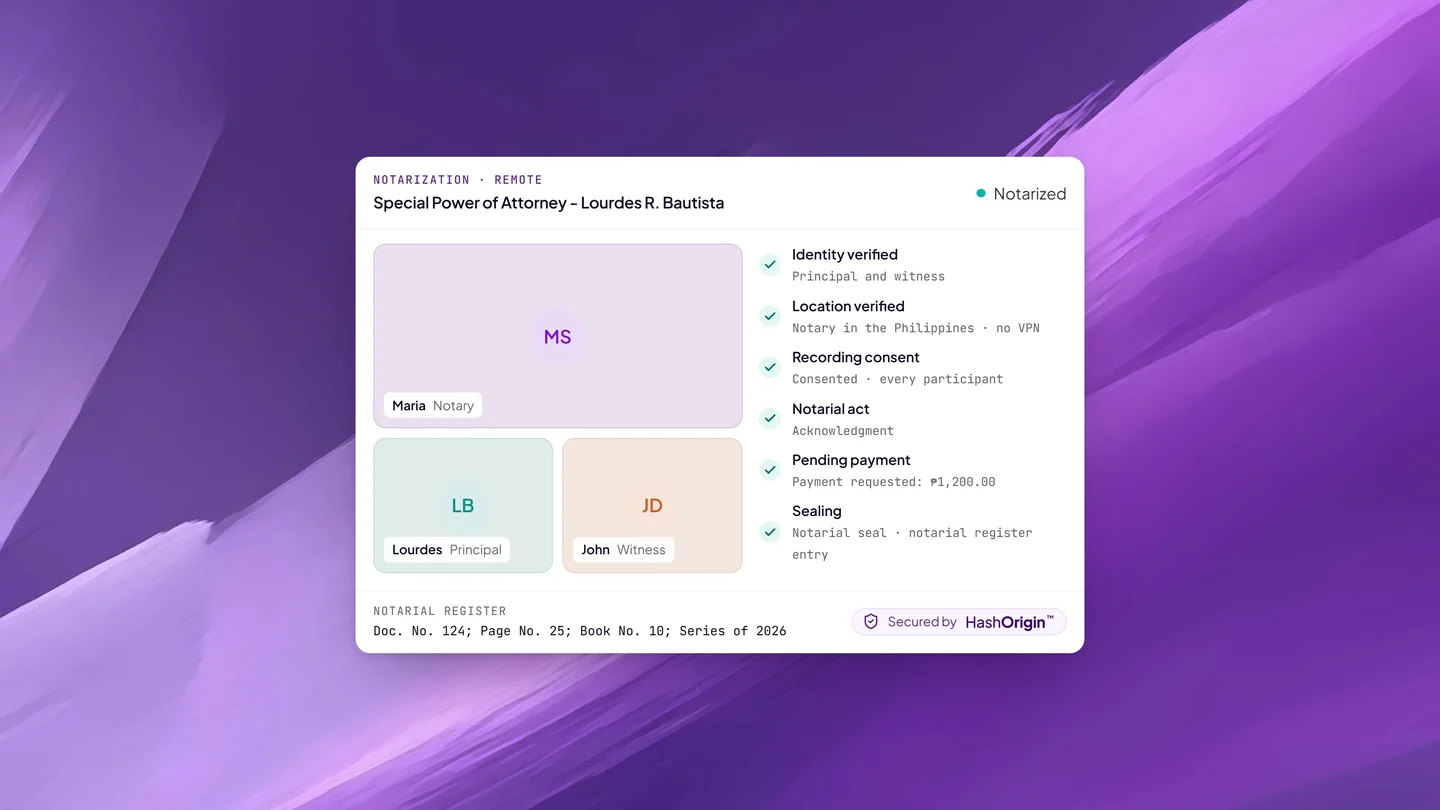
- At the session, click Join session, turn off any VPN, and acknowledge the SPA before the ENP.
- Pay the fee the ENP requests within 24 hours, then download the notarized PDF from Notarizations.
Every screen along the way is covered in how to notarize a document online in the Philippines.
Handing the SPA to your agent
Send your agent the notarized PDF itself, not a printout. It carries the notarial certificate page, the notary’s seal with a QR code, and a digital signature, and anyone who receives it can check it on Twala’s verify page. If something in the file has changed since notarization, the check says so. Our guide on verifying an eNotarized document walks a bank teller or a records clerk through it.
Ask the bank or office ahead of time how it wants to receive an electronically notarized SPA. Offices are updating their procedures for eNotarized documents at different speeds, and a quick question saves your agent a wasted trip.
Frequently asked questions
How long is an SPA valid?
The Civil Code doesn’t give an SPA a fixed shelf life. An agency ends on the grounds listed in Article 1919, among them revocation, the death of the principal or the agent, the accomplishment of its purpose, and the end of any period stated in it. In practice, many banks and offices prefer a recently executed SPA, so ask.
Can I revoke an SPA that was notarized online?
Yes. A principal may revoke an agency at will. A lawyer can help you put the revocation in writing and notify the people who have been dealing with your agent.
Can two principals sign one SPA?
Yes, for example co-owners giving the same agent authority over the property they share. Both sign on Twala, and both appear before the ENP, from the same room or from different cities in the Philippines.
Is an SPA notarized online as valid as one notarized on paper?
Yes. Under the Supreme Court’s Rules on Electronic Notarization (A.M. No. 24-10-14-SC), an electronic notarial act performed through an accredited facility has the same validity, force, and effect as a traditional one.
When your SPA is ready, create a free Twala account to get it signed and notarized, or read Get notarized for the details of each step. For the rules behind all of this, see our complete guide to eNotarization in the Philippines.
Twala is a Supreme Court-accredited Electronic Notarization Facility (ENF). Twala is a technology provider and does not give legal advice. Notarial acts are performed by commissioned Electronic Notaries Public.