Running a Good Remote Notarization Session: A Guide for ENPs

A remote electronic notarization carries the same duties as an act across your desk. The camera changes how an Electronic Notary Public (ENP) checks identity and consent, not what has to be checked.
The Rules on Electronic Notarization (A.M. No. 24-10-14-SC) make appearance by videoconference the equivalent of physical appearance (Rule III, Sec. 1). That equivalence is only as good as the session behind it. What follows is practical advice drawn from how sessions run on Twala. It sits on top of the Rules, which every ENP should read in full.
Before the session
Read the document when the request arrives
Not when the call starts. Check that the document is complete, with no blanks left to fill in, and that eNotarization covers it: notarial wills, depositions, and paper documents with wet signatures that must stay on paper are outside it. Then decide which act it needs, because the act decides when the principal signs.
Settle the signing before the day
The Rules tie the signature to the act (Rule IV). For an acknowledgment, the principal may sign before the session and confirm to you that the signature is theirs, so a document signed on Twala through an envelope beforehand is in order. For a jurat, the principal signs and takes an oath before you as part of the act. For signature witnessing, the principal signs using the facility in your full view.
Tell the principal on the appointment’s Messages tab when to sign. A principal can book first and send the document for signing when you say, which spares everyone a session that cannot go ahead.
Ask early for what you will need
The Messages tab opens as soon as the request is sent and stays open until 24 hours after the session is completed. If someone is signing for a company or for another person, ask there for proof of authority: a board resolution, a secretary’s certificate, or a special power of attorney. Messages don’t send email, so tell clients to watch for the red dot.
Make sure everyone can be verified
Every principal and witness needs a Twala account under the email they were added with, and a current identity verification. You can add witnesses before they verify, but the act cannot be performed until every principal and witness has verified. A reminder the day before saves a session that would otherwise have to be moved.
Keep your calendar honest
Principals book from your open times and can propose a new slot with Change time until your minimum notice. A confirmed session keeps its time until you accept a new one, and you cannot move it yourself, so publish open times you will actually keep.
Set up your own side
A quiet, private room; a camera and microphone that work; a connection of at least 2 Mbps; and no VPN, proxy, or Tor. Your location is checked like everyone else’s, and you have to be in the Philippines too.
During the session
Confirm where everyone is
The Rules require the ENP to confirm through geolocation that all parties are in the Philippines (Rule III, Sec. 2(c)). On Twala, each person is admitted by a location check when they join and is listed beside the call as In session, with VPNs, proxies, and Tor blocked. If someone cannot get in, have them turn off any VPN, proxy, or Tor and join again.
Raise recording before you begin
The Rules allow a session to be recorded. On Twala, nothing is recorded until everyone in the session consents, and the bar reads Waiting for consent until they do. If anyone declines, the session continues without a recording; do not press the point. Only you can open a recording and its transcript. A pre-recorded video of a principal or witness signing is never a substitute for the live session, and the Rules strictly prohibit using one.
Treat the verification as evidence, not a verdict
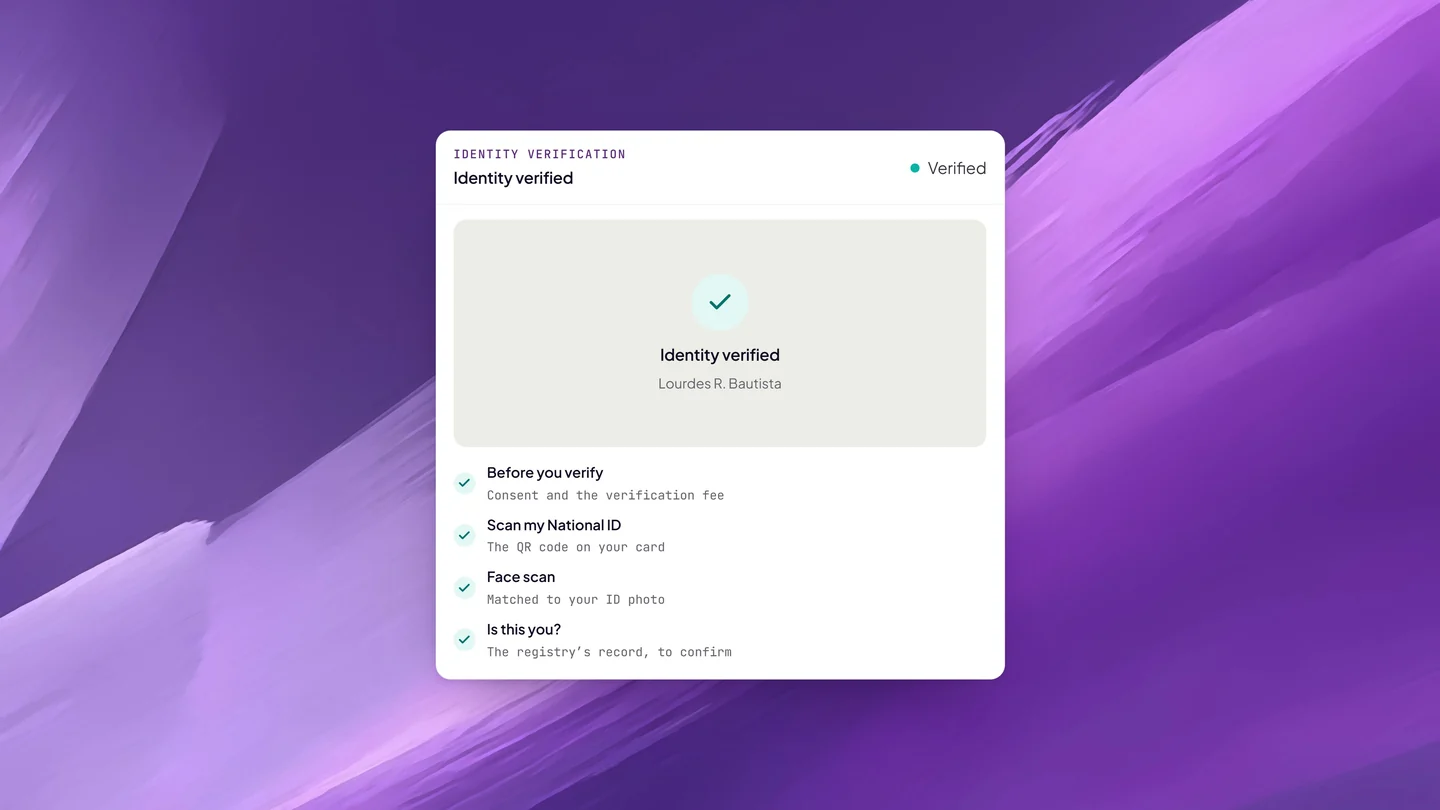
Competent evidence of identity under the Rules starts with at least one valid government-issued ID, and the Rules name the PhilID and the IBP ID among them. Before anyone can appear on Twala, their ID has been checked (a Philippine National ID against the national registry) and matched to a face scan, and the Rules require every accredited facility to run liveness detection and to block expired or invalid IDs.
That is a strong starting point, not a conclusion. Compare the face on camera with the verified identity. Ask each person to state their name and say what the document is. Then confirm the details for every participant, which the checklist asks of you before you can request payment.
Test understanding and consent in plain words
Ask open questions in the language the person is most at home in, whether that is Tagalog, Cebuano, Ilocano, Hiligaynon, or English. What does this document do? Did anyone ask you to sign it? What are you agreeing to, or giving up? Watch for long pauses before answers, eyes turning to someone off-screen, and answers that sound recited. If you suspect someone else is in the room, ask the principal to turn the camera around.
Perform the act the document calls for
Select one of the five acts: acknowledgment, oath, affirmation, signature witnessing, or jurat. For an acknowledgment, have the principal confirm that the signature is theirs and that they signed of their own free will. For a jurat, have the principal sign and take the oath or affirmation before you, so that both are in the recording if there is one. For signature witnessing, make sure the principal signs using the facility in your full view.
When the connection drops
The participant opens the same link again and rejoins. If the session has already ended, you can start a new one, and everyone is told by email and in Twala.
Request payment last
Before you request payment, the checklist confirms four things: every participant’s details, the act you selected, that a participant joined the session with you, and your own location. Requesting payment is when the act spends its one credit and reads Pending payment. The fee is due within 24 hours, paid online with Pay or in cash to you if you choose cash payment.
Set the fee within the Rules: notarial fees follow any guide on notarial fees the Supreme Court issues, you may waive a fee in whole or in part, and you may charge reasonable telecommunication and other incidental expenses (Rule XII, Sec. 1).
When to deny an act
Deny when you are not satisfied, and do not let the fee decide it. The usual grounds:
- You cannot reconcile the person on camera with the verified identity
- The person cannot explain the document, or someone off-screen is answering for them
- Someone signing for a company or another person has no proof of authority
- The document has blanks, or it is a kind that eNotarization does not cover
Denying costs you nothing, since a credit is spent only when you request payment. The notarization reads Denied, and the principal can book again once the problem is fixed. For the fraud patterns these checks exist to stop, see how eNotarization stops fraud.
After the session
Keep an eye on Pending payment: a credit is not returned if the act is later canceled because the fee went unpaid. Once the fee is paid, the act reads Sealing, then Notarized, and Twala adds the certificate page with your seal and QR code, enters the act in your notarial register, and files it with the Supreme Court. Check the register line on the certificate.
Answer follow-up questions on Messages until it closes, 24 hours after the session is completed. Witnesses who need a copy send a request through Request copy; approve it, free or for a fee, or deny it with a reason. The activity log on each notarization keeps the record of who did what, and when, and the Rules have you keep your records for the duration of your commission, or longer if a court directs (Rule XII, Sec. 2). Our explainer on the electronic notarial register covers what happens to each entry.
Frequently asked questions
Can I notarize for a principal who is abroad?
Under the Rules, only if the principal is inside a Philippine embassy, consular office, or Honorary Consul office, with a designated officer confirming the principal’s presence, and you are in the Philippines. On Twala today, everyone in a session has to be in the Philippines, and the location check blocks VPNs, proxies, and Tor.
Can the witnesses join from different cities?
Yes. Each person joins from their own device, anywhere in the Philippines. Send witnesses our guide for witnesses ahead of the session.
Can I record a session without everyone’s consent?
Not on Twala. A session is recorded only once everyone consents, and if anyone declines, it goes on without a recording.
New to the commission? Start with how to become an Electronic Notary Public, then see a full day’s work in a day in an ENP’s practice on Twala. To understand the session from your client’s side, read what happens during a remote notarization session and how identity verification works. The rest of the framework is in our complete guide to eNotarization in the Philippines, and you can apply as an ENP on Twala when you are ready.
Twala is a Supreme Court-accredited Electronic Notarization Facility (ENF). Twala is a technology provider and does not give legal advice. Notarial acts are performed by commissioned Electronic Notaries Public.